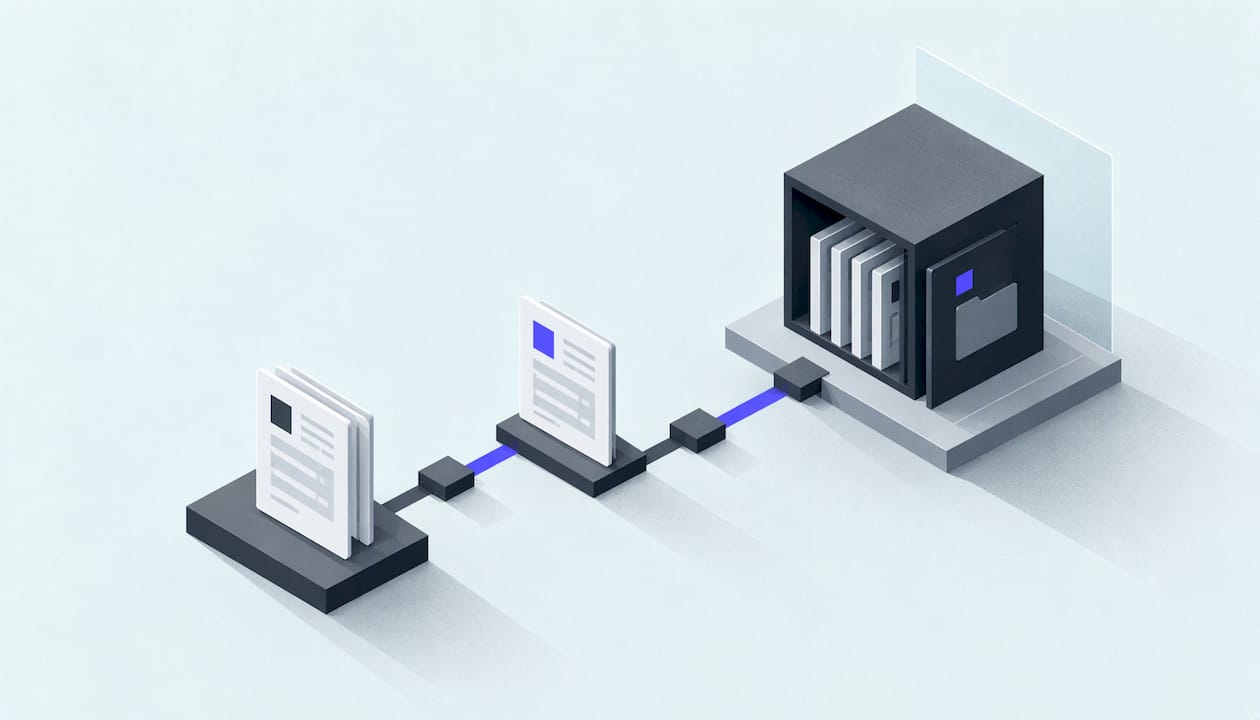
Invoice processing automation means software captures each invoice, checks it, routes it for approval, and posts it to your accounting system, so a person only steps in when something looks wrong. For a UAE business, the setup now has a second job: UAE e-invoicing rules are being phased in from 2027, and a PDF sent by email will not count as a valid e-invoice. This guide explains the workflow stage by stage, what automation can realistically change, where humans stay in the loop, and what to check on VAT, record-keeping and data before you build anything.
TL;DR
- Automated invoice processing runs in stages: receipt, data capture, validation, approval routing, exception handling, payment, and posting to your books.
- Published estimates put the cost of a manually processed invoice at roughly $12.88 to $26, against about $2.36 to $5 when automated. Treat these as industry figures, not a promise for your firm.
- AI reads and codes invoices well, but people should still decide disputed, unusually large or changed-bank-detail invoices.
- UAE e-invoicing means structured XML sent through an Accredited Service Provider. Phased mandatory dates begin on 1 January 2027 for the largest businesses, and they are provisional.
- Start with one workflow, keep records for at least five years, and keep personal data inside a compliant setup.
Table of Contents
- What invoice processing automation actually covers
- How AI changes the capture and checking steps
- What you can expect to gain
- UAE rules to check before you automate
- How a small business can automate invoices step by step
- What to ask before you commit
- Fixed-price automation from NovaLab
- FAQ
- Sources
What invoice processing automation actually covers
Automated invoice processing uses software and digital workflows to manage invoices with minimal human involvement. Stripe's UAE guide breaks the journey into stages, and they map neatly onto what a small finance team does by hand today:
- Receipt. Invoices from email, supplier portals and uploads land in one central place instead of scattered inboxes.
- Data capture. Electronic invoices arrive as structured data (XML or EDI). Paper and PDF invoices are read with OCR or intelligent document recognition.
- Validation. Extracted figures are checked against purchase orders and goods received notes.
- Approval routing. Rules send the invoice to the right person by amount, supplier or department.
- Exception handling. Mismatches are flagged for manual review rather than silently passed.
- Payment. Payments are scheduled and executed through banking integrations.
- Posting and reconciliation. The invoice and payment are recorded in your accounting or ERP system.
- Reporting. You can see what is outstanding, what is late and what each supplier costs you.
The same logic applies to the other searches people make around this topic. Document processing automation is the wider idea: any inbound document (an invoice, a purchase order, a delivery note, a customer order) is read, checked and pushed into the right system. Order processing automation is the sales-side twin, where an incoming order becomes a confirmed job, a stock movement and an invoice without anyone retyping it.
How AI changes the capture and checking steps
Older OCR tools needed a fixed template for every supplier. AI invoice processing combines OCR, machine learning and language models, so it can read an invoice layout it has never seen and turn it into structured fields and line items. Beyond extraction, a typical AI pipeline does three more things:
- Validation. It compares the invoice against history to catch duplicates, matches lines to purchase orders and receipts, and flags price or quantity differences outside a tolerance band you set.
- Coding. It suggests the ledger account, cost centre or department, learning from how your team coded similar invoices before.
- Routing. It predicts who should approve and sends it to them.
The quality of the whole system depends on its confidence thresholds. Set them too loose and the system pre-fills wrong values with confidence, so your team stops trusting it. Set them too tight and everything goes to a person, so nothing is automated. The sensible approach is to start strict, watch how often people correct the suggestions, and loosen the thresholds field by field as accuracy proves itself.
Where a person should still decide
A confidence score tells you how likely the system is to have read the document correctly. It does not tell you the invoice is valid, that the goods arrived or that payment is authorised. Keep a human decision point for:
- invoices a supplier or colleague disputes;
- changed bank details, the classic fraud pattern;
- unusually large amounts or amounts above your approval limit;
- records that conflict, such as an invoice with no matching purchase order;
- anything your policy treats as an exception.
Designing these "needs a person" moments well is most of the craft. Done properly, your team spends its time on the five percent of invoices that deserve attention instead of keying in the other ninety-five.
What you can expect to gain
The UAE Ministry of Finance says e-invoicing can cut invoice processing costs for businesses and governments by up to 66%, and that delivering invoices to buyers in near real time creates an opportunity for faster payment and better working-capital management.
Published industry figures point the same way. One 2026 roundup puts manual processing at $12.88 to $26 per invoice against $2.36 to $5 automated, with the average manual invoice taking 14.6 days against 3.1 days for best-in-class automated teams. Another compilation cites an AFP survey reporting 75 to 82% less manual data entry compared with paper or PDF workflows.
These are market-wide averages, mostly from larger finance teams. For a 20-person Dubai company handling a few hundred invoices a month, the more useful way to put it is in hours: count how long your accountant spends keying, chasing approvals and fixing duplicates in a typical month, and that is the pool automation draws from.
| Area | Manual process | Automated process |
|---|---|---|
| Receiving | Invoices in several inboxes and WhatsApp chats | One intake point, with every file logged |
| Data entry | Typed by hand into the accounting system | Extracted automatically, corrected only where flagged |
| Approval | Forwarded by email, easily forgotten | Routed by rule, with reminders |
| Errors | Found at month end, or by the supplier | Caught at validation, before posting |
| Audit trail | Reconstructed from emails | Every step timestamped |
UAE rules to check before you automate
This is where a UAE build differs from a generic guide. Four areas matter.
E-invoicing is changing what a valid invoice is
The Ministry of Finance defines an eInvoice as structured invoice data exchanged electronically. PDFs, Word documents, images, scans and emails are not eInvoices. The mandate rests on Federal Decree-Law No. 16 of 2024, which amended the VAT Law. Under Article 65(5) as amended, a registrant subject to the system must issue and transmit Tax Invoices as Electronic Invoices.
In practice, a valid UAE e-invoice is a structured XML document in the PINT AE format, built on UBL 2.1 and sent through an Accredited Service Provider over the Peppol network. The framework covers B2B and B2G transactions, with B2C currently out of scope.
The phased timeline reported under Ministerial Decision No. 244 of 2025, as amended by Ministerial Decision No. 66 of 2026, is on this schedule:
| Group | Appoint a service provider by | Mandatory e-invoicing from |
|---|---|---|
| Businesses with annual revenue of AED 50 million or more | 30 October 2026 | 1 January 2027 |
| Smaller businesses | 31 March 2027 | 1 July 2027 |
| In-scope government entities | 31 March 2027 | 1 October 2027 |
These dates are described as provisional, so confirm your own group and deadline with the Ministry of Finance before you plan around them. The practical point for your automation is simple: whatever you build for incoming and outgoing invoices should be able to handle structured data and hand off to your chosen service provider, rather than assume everything is a PDF.
Record-keeping
Article 78 of the VAT Law requires a taxable person to keep records of all supplies and imports, and all tax invoices and credit notes issued and received. One advisory firm's VAT alert gives the retention periods as at least five years, seven for real estate transactions and ten for capital assets scheme data. The same alert notes that the Federal Tax Authority audits after filing rather than verifying beforehand, so being able to produce complete, organised documents quickly matters. A good automation setup makes this easier: every invoice, approval and payment is stored together and searchable.

Personal data
Invoices often carry names, phone numbers and email addresses. The UAE Personal Data Protection Law (Federal Decree-Law No. 45 of 2021) is summarised by one Dubai IT firm as requiring full compliance by 1 January 2027, with explicit consent, a processing register, breach reporting within 72 hours and limits on cross-border transfers. The same checklist recommends encryption at rest and in transit, access controls and audit logs, and hosting personal data in UAE or GCC cloud regions where possible. Ask where any tool you adopt stores and processes your documents.

Who may see what
Automation should respect the same separation of duties you would want from staff: the person who captures an invoice should not be the only one who approves and pays it. Build roles and limits into the workflow from day one.
How a small business can automate invoices step by step
You do not need an enterprise finance platform. A sensible sequence for an SME looks like this:
- Map the current flow. Write down where invoices arrive, who touches them and where they stall. Count monthly volumes by type: supplier invoices, customer invoices, purchase orders.
- Pick one workflow. Supplier invoices into your accounting system is the usual first choice, because the pain is daily and the rules are clear.
- Define the rules. Approval limits, who signs what, which invoices must match a purchase order, which supplier details need a callback before payment.
- Connect your accounting system. The automation should post coded invoices into your accounting or ERP software through its integration, so nobody re-enters data. Confirm that your system can store the structured data e-invoicing will require.
- Run it alongside the old process. For a month, compare the automated output with what your team would have entered. Adjust thresholds.
- Switch over and review monthly. Track the share of invoices that go through untouched, the number of corrections, and the days from receipt to payment.
Once invoices work, the same pattern extends to order processing: an incoming order from email or a form is parsed, checked against stock and credit terms, and turned into a job and an invoice. For the wider picture, our guide on how to automate business processes in the UAE covers how to choose what comes first, and what to automate and what it costs sets out the budget side. If late payment is the real problem on the customer side, our note on getting paid without the awkward chase is a good companion.
What to ask before you commit
Whoever builds your workflow, a short list of questions separates a useful system from a demo that looks good:
- Which exact steps will be automated, and which stay with a person?
- What happens to an invoice the system is unsure about?
- Where are documents and personal data stored?
- Can it post to your accounting system and handle structured e-invoice data?
- Is the price fixed, and does it cover both the build and the running of the workflow?
- Who do you speak to when something breaks?
Our perspective
Most invoice automation projects disappoint for the same reason: they try to automate everything at once and nobody can say who owns the result. We take the opposite route. Pick one workflow, define the rules in plain language, build it, and then run it every month so it keeps working as suppliers, staff and regulations change.
That is why our automation work is priced as a fixed setup fee plus a fixed monthly operation fee, both published. You know the cost before we start, and the person you speak to at the start is the person who builds it. There is no account manager passing notes to a developer.
We also believe the human checkpoints are a feature, not a failure. An invoice with changed bank details, or an amount well above the usual, should reach a person. Good automation makes those moments rare and obvious, instead of hiding them.
With UAE e-invoicing arriving in phases, the sensible time to tidy your invoice flow is before your deadline, not the week of it.
Adel
Fixed-price automation from NovaLab
If you would rather have the workflow designed and run for you, we build bespoke AI workflow automation for UAE small and medium businesses. Our AI automation service is priced at AED 8,000 one-off for setup and AED 2,000 per month for operation. For heavier back-office work across several steps, DubaiTaskAutomator is AED 20,000 for setup and AED 4,000 per month.

Prices are published with their scope, and you see real demo work or a written diagnostic before you pay anything. Start from our full price list and tell us which invoice or order flow costs you the most time.
FAQ
Is invoice processing automation worth it for a small business?
It tends to be worth it once invoices arrive often enough that keying, chasing approvals and fixing errors takes real hours each month. Published estimates put automated processing at a fraction of the manual cost per invoice, though your own saving depends on volume and how messy your current process is. Count your monthly invoices and the hours spent on them to see where you stand.
Can AI process invoices without any human checking?
For routine invoices that match a purchase order and sit within your limits, the system can read, code and route them with little or no intervention. Disputed invoices, changed bank details, unusually large amounts and conflicting records should still go to a person. The aim is to reserve human attention for those cases.
Does a PDF invoice count as an e-invoice in the UAE?
No. The Ministry of Finance says PDFs, images, scans and emails are not eInvoices; an eInvoice is structured data exchanged electronically. Businesses in scope will need to issue structured XML through an Accredited Service Provider once their phase begins. Confirm your deadline with the Ministry.
How long must I keep invoices in the UAE?
VAT records generally need to be kept for at least five years, with longer periods for real estate transactions and capital assets scheme data. An automated system that stores each invoice with its approvals and payment makes this simpler. Your tax advisor can confirm the period that applies to your business.
What is the difference between invoice automation and document processing automation?
Invoice automation handles one document type from receipt to payment. Document processing automation is broader: it reads and routes any inbound document, such as purchase orders, delivery notes or customer orders, into the right system. Most businesses start with invoices and extend the same approach to orders.
Sources
- UAE Ministry of Finance: Electronic Invoicing
- Federal Tax Authority: Federal Decree-Law No. 8 of 2017 (VAT) and amendments
- How automation works in invoice processing
- E-Invoicing UAE 2026: Peppol Timeline and Rules
- UAE e-Invoicing 2026: Rules, Timeline and Compliance Guide
- Invoice Automation in UAE: Complete Guide
- UAE VAT Health Check alert
- IT Compliance Checklist for Dubai Mainland Companies 2026
- Invoice Processing Software: How It Works
- E-Invoicing Statistics (2026)